Enable signup via locations using a simple drop down (Totara LMS)
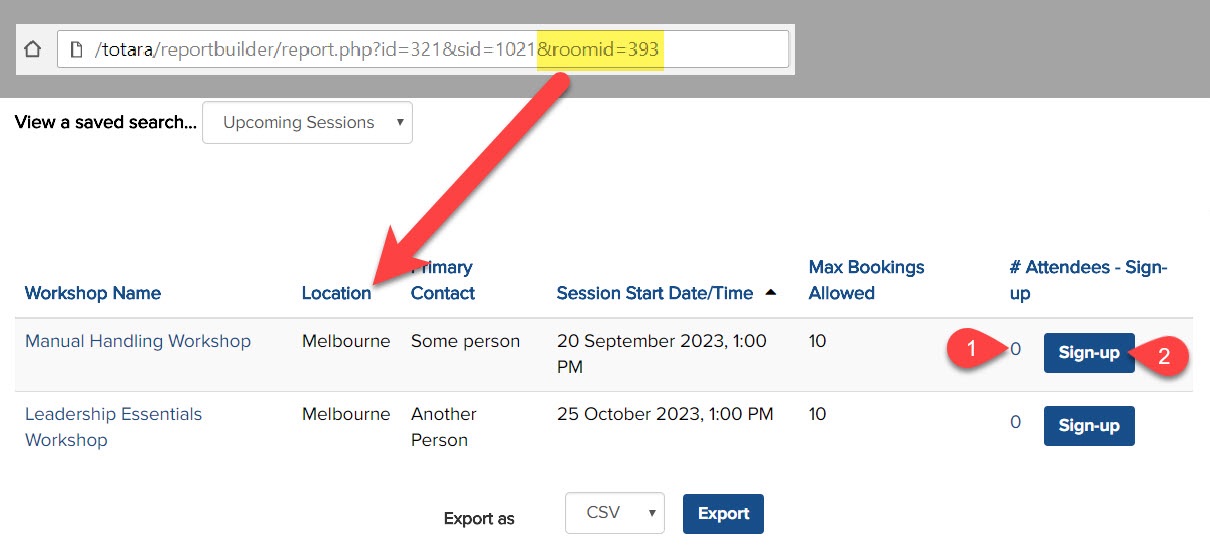
Totara Learn allows users the choice to choose training:

Via the training catalogue by searching for course/program
Via the training calendar by date (i.e. looking for training in next few weeks)

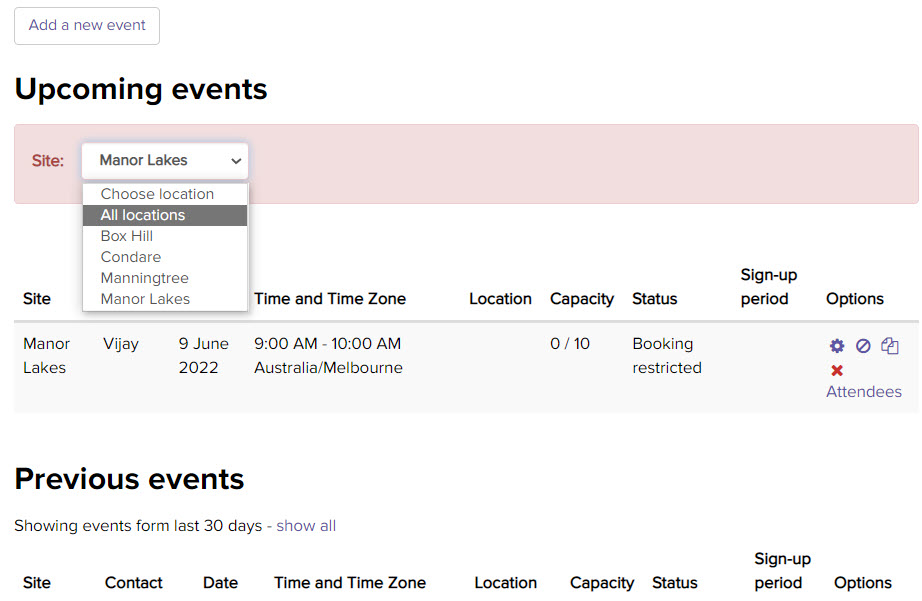
Use simple code to create a a third option for users to find learning; i.e. choose their location to see if there are any upcoming seminar events to attend at their site/location (i.e. Room).

Totara LMS for Compliance Training

totara-learning-management-system

Totara LMS is a powerful learning management system that can help you set up and manage your compliance training courses effectively. Compliance training is an essential part of any organisations learning and development strategy, as it helps ensure that employees understand and comply with legal and regulatory requirements. Here’s how you can do it: 1. … Read more

Seminar Events – Filter by location in Totara LMS

How to add a dynamic Site filter that users to view seminar events just for the selected location (room)

Do you need a simple filter to show/hide seminar events from a selected location in Totara LMS? We needed to run multiple events across multiple locations for our courses and we needed to do so across more than 50 different office locations. Since there may be 200 to 300 events every year for each course… … Read more

Icons in Totara LMS

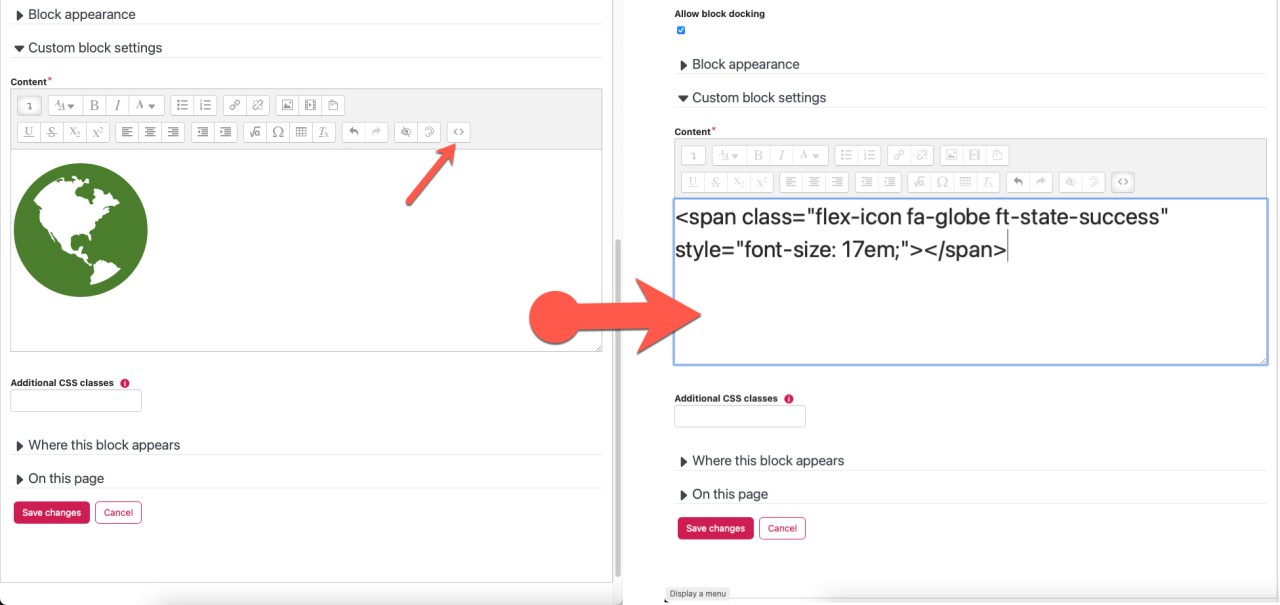
Display Built-in Icons in Moodle and Totara LMS

Use the SVG icons already available in Totara LMS rather than adding images. Add them as SPAN tag. Add classes to change icon size and colour.